

Microsoft Teams Phone System Setup
Advantage Tech sets up and manages Microsoft Teams Phone so organizations already using Microsoft 365 can make and receive business calls directly inside Teams. Our cloud phone systems expertise connects calling, Microsoft 365, migration, and ongoing support within one managed environment.
What Is Microsoft Teams Phone?
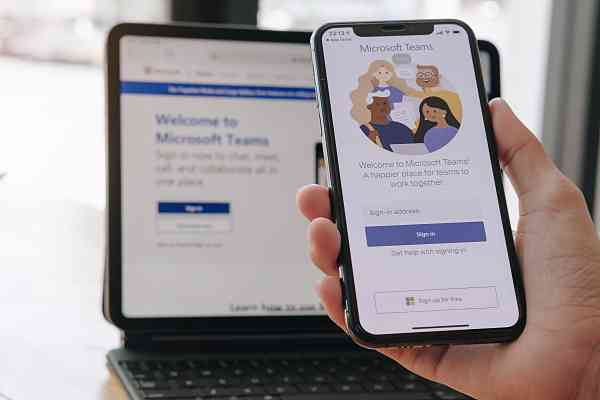
Microsoft Teams Phone gives organizations a cloud phone system for making and receiving external calls within Teams. Organizations can replace a traditional desk phone platform or separate VoIP application with calling built into the Teams application employees may already use for meetings, messaging, and collaboration.
Teams Phone supports familiar business calling functions such as call routing, hold, transfer, and voicemail. Organizations that need a broader communications platform beyond Microsoft-focused calling may also consider a unified communications platform.
Core Features & Benefits of Microsoft Teams Phone
Microsoft Teams calling brings core business phone functions into an application many Microsoft 365 users already rely on throughout the day.
Calling Built Into a Tool Employees Already Use
Employees can place and receive business calls through Microsoft Teams without moving between separate calling and collaboration applications. A familiar interface can make day-to-day communication simpler for organizations that already use Teams for meetings and internal messaging.
Advanced Call Handling
Microsoft Teams Phone supports call routing, transfers, voicemail, hold functions, and other familiar business calling features. Advantage Tech configures those capabilities around your organization’s call flows so customers and employees reach the right people or departments.
Presence & Status Awareness
Teams displays employee availability before a call is placed. Users can see when colleagues are available, busy, away, or already on another call, helping teams choose the most appropriate way and time to connect.
Mobile & Desktop Flexibility
Employees can use the same business number across supported desktop and mobile devices or compatible desk phones. Staff can stay connected while working at a desk, moving through an office, or working remotely.
Integrated Meetings & Chat
Teams Phone keeps calling close to the collaboration tools employees already use. Users can move between business calls, chats, and video meetings within Microsoft Teams without relying on separate applications for each communication method.
Centralized Admin Management
Calling settings, voicemail options, phone assignments, and related user configurations can be managed through Microsoft’s administrative tools. Advantage Tech handles setup and continued administration so internal teams don’t have to manage phone configuration on their own.
Advantage Tech’s Approach to Microsoft Teams Phone
Our engineers handle the planning, connectivity, migration, Microsoft 365 configuration, and ongoing support involved in moving business calling into Teams.
Connectivity Method Selection
Microsoft Teams Phone can connect to the public telephone network through Microsoft Calling Plan, Operator Connect, or Direct Routing. Advantage Tech evaluates calling needs, carrier relationships, and budget considerations before recommending an approach.
Organizations using Direct Routing may also need SIP trunking as part of the connection between Teams and their chosen carrier.


Number and Call Flow Migration
Existing business numbers and call flows can often move into Teams Phone, allowing organizations to modernize calling without abandoning established contact information.
Advantage Tech coordinates number porting and migration as part of the transition, with attention to call routing and business continuity throughout the move.
Microsoft 365 Environment Expertise
Teams Phone works within a broader Microsoft 365 environment, so calling configuration shouldn’t be treated as an isolated phone project. Advantage Tech brings experience across Microsoft technologies, networking, security, and business communications to connect Teams Phone with the systems employees already use.

Ongoing Support & Maintenance
Support doesn’t end when calling goes live. Advantage Tech can continue handling configuration changes, troubleshooting, updates, and ongoing phone system needs as users, offices, and calling requirements change.
Frequently Asked Questions
What Is Microsoft Teams Phone?
Microsoft offers Teams Phone as its cloud calling platform for business communications within Teams. It adds external phone calling, voicemail, call routing, transfers, and related PBX capabilities to the Teams experience, allowing organizations to manage calling alongside meetings, chat, and collaboration.
Do We Need a Separate Phone System if We Already Use Microsoft Teams?
No separate phone application is required once Microsoft Teams Phone is properly configured for business calling. Calling capability is added to the organization’s existing Microsoft 365 setup, with the appropriate connectivity method and licensing selected for its needs.
Can We Keep Our Current Business Phone Number With Microsoft Teams Phone?
Yes, existing business numbers can generally be moved into Microsoft Teams Phone when the number and carrier arrangement support porting. Advantage Tech can coordinate number porting and migration while rebuilding call flows and assignments within Teams.
What Is the Difference Between Microsoft Teams Phone and a Full Unified Communications Platform?
Microsoft Teams Phone is designed for organizations that want business calling integrated with their existing Microsoft 365 and Teams environment. A broader unified communications platform may be a better fit for organizations that want calling, messaging, meetings, and other communication services through a platform outside the Microsoft ecosystem.
Bring Calling Into Microsoft Teams With Advantage Tech
Advantage Tech provides Microsoft Teams Phone setup, migration, connectivity planning, and ongoing support for organizations ready to bring business calling into Microsoft 365. Schedule a consultation to discuss your Microsoft Teams calling needs and how ongoing managed IT services can support the wider environment.